CE 351, Fall 2020
Project 5
Name: Cesar Molina
Email: camolina@fortlewis.com
1. Title: PID Control - Photocell
2. Introduction
The purpose of this project was to introduce
students to PID controllers while performing different tasks using a photocell
and LEDs. The tasks included developing/editing a PID control code to maintain
the brightness perceived by the photocell at a specific value or set point. By
the end of this project, students gained an ability to code using PID loops and
export data from Arduino IDE to a local drive.
3. Materials and Methods
|
Materials |
|
Computer |
|
Arduino
IDE |
|
Arduino
UNO R3 |
|
Photocell |
|
10K
Resistor |
|
300
ohm Resistor |
|
Breadboard |
|
Wires |
|
MATLAB |
The
PID control code and circuit connections using a photocell and LEDs was provided
by Dr. Li on his webpage and can be found here.
Project 5 consisted of the following tasks:
1. Make the sensed light to oscillate around a set
point.
2. Repeat the work in Section 3 and plot the data
using MATLAB.
3. Fix the set point function to enable a desired
PID control. Plot the set point and the sensor data in the same figure using
MATLAB.
4. Results
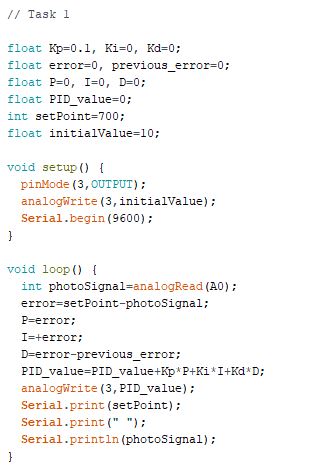
Figure 3: Task 1 - Arduino Code.
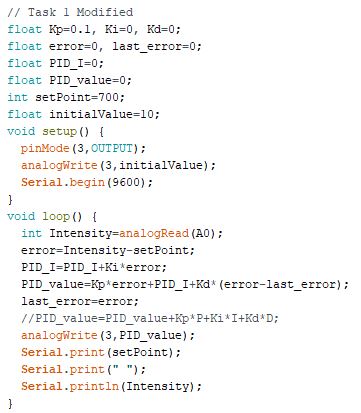
Figure 4: Task 1 - Arduino Code Modified.
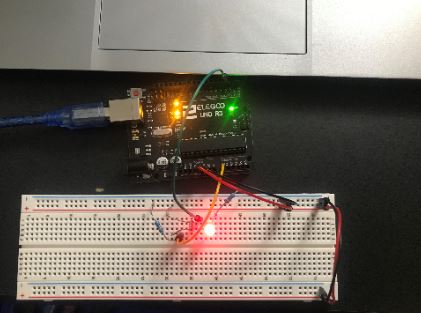
Figure 5: Task 1 - Circuit setup.
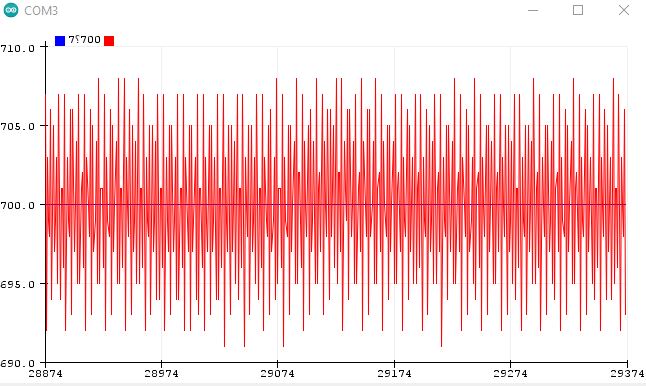
Figure 6: Task 1 - Make the sensed light to oscillate around a set point.
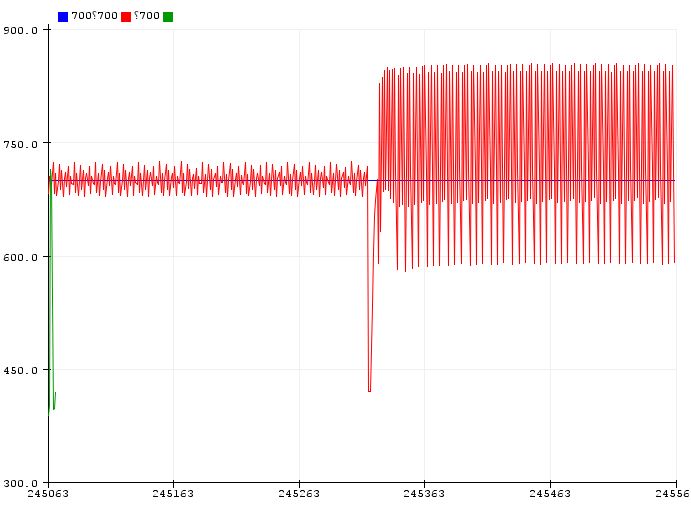
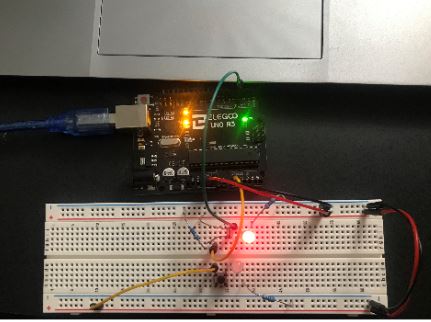
Figure 8: Task 2 - Circuit setup.
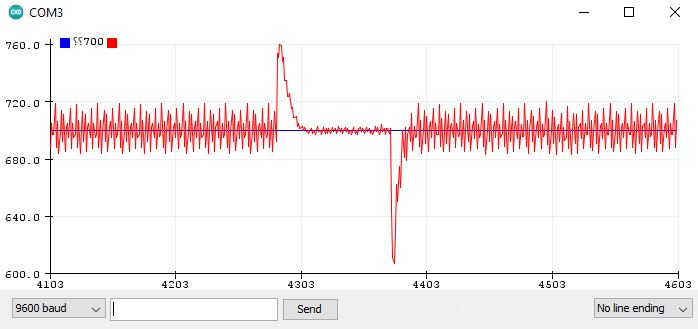
Figure 9: Task 2 - Repeat the work in Section 3 (Adding an extra LED to alter the sensed light by the photocell).
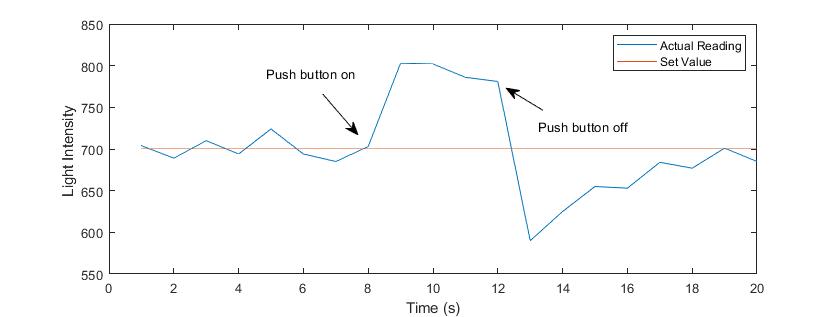
Figure 10: Task 2 - Plot the data using MATLAB.
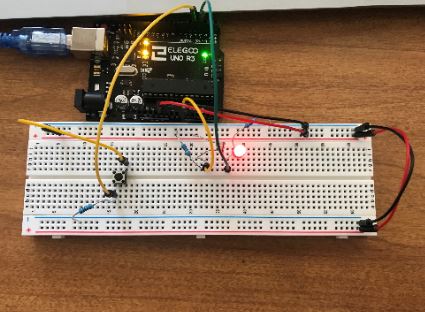
Movie 1: Task 3 - Fix the set point function to enable a desired PID control.
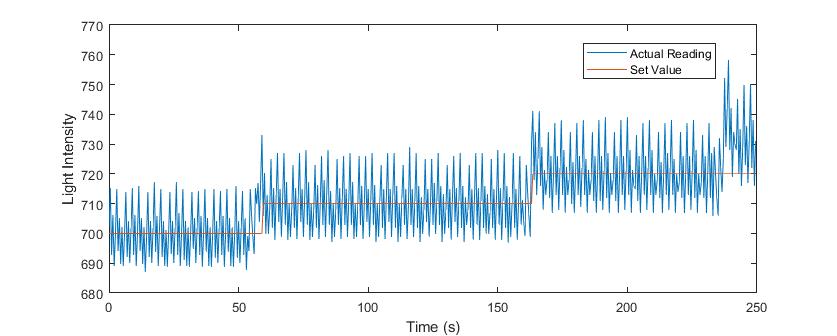
Figure 12: Task 3 - Plot the data using MATLAB.
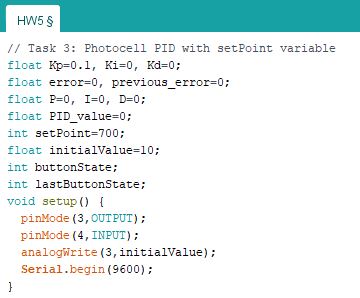
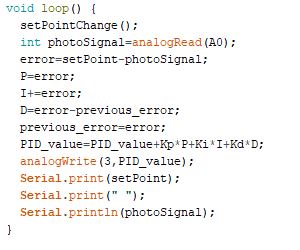
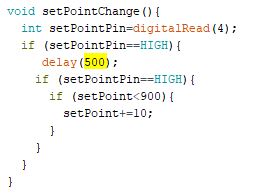
Figure 13: Task 3 - Arduino Code.
5. Discussion
All
tasks were performed and executed successfully. The
modification of the PID code discussed in class brought a lot more noise to the
readings than code provided on Dr. Li’s webpage. For this reason, I decided to
use the webpage’s code for Task 2 and 3. The excel data streamer was also used
to stream data from arduino to excel and then import it to MATLAB.